B2C integration
Offer Helthjem delivery at checkout, book the parcel, print its label and track it to the customer's door or a service point.
This guide covers these steps:
- Authorize
- Check address for coverage
- Book the parcel
- Get the label
- Track the parcel
Choose a transport solution
See Delivery methods to choose a transport solution. This guide uses the stand-alone transport solution 2, together with the Single Address Check to confirm coverage before booking.
1. Authorize
Get an access token and send it as Authorization: Bearer your_token with every request. See Authentication for how to request, cache and refresh the token.
2. Check address for coverage
2.1 Check home delivery coverage
Use the Single Address Check endpoint to confirm that Helthjem covers an address with a transport solution.
Tip
Use a stand-alone transport solution with the Single Address Check, so your checkout only shows options that are available for the address:
- TS 2: home delivery only
- TS 86: Helthjem service point only
Checkout example
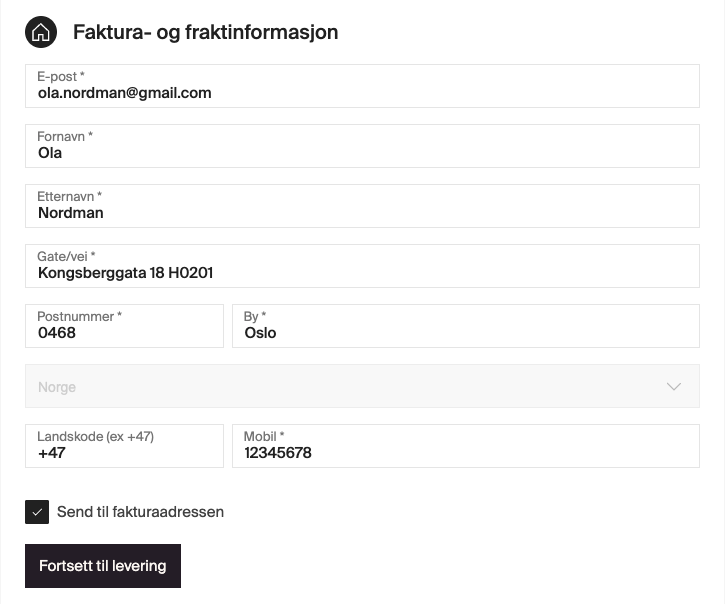
Path: POST /parcels/v1/addresses/find/single
Request
{
    "shopId": 16,
    "transportSolutionId": 2,
    "customerName": "Ola Nordmann",
    "address": "Kongsberggata 18 H0201",
    "zipCode": "0468",
    "postalName": "Oslo",
    "countryCode": "NO",
    "weight": 1000,
    "volume": null
  }
Success (200)
{
  "productName": "HELTHJEM",
  "routeName": "21516",
  "routing": "1-31/114-43-x21516x385",
  "routeAddress": "TÅSENVEIEN 26",
  "handoverCity": "OSLO",
  "plannedDeparture": "1600"
}
The response "productName": "HELTHJEM" confirms that Helthjem can deliver to this address.
You can now show home delivery as an option at checkout.
Example
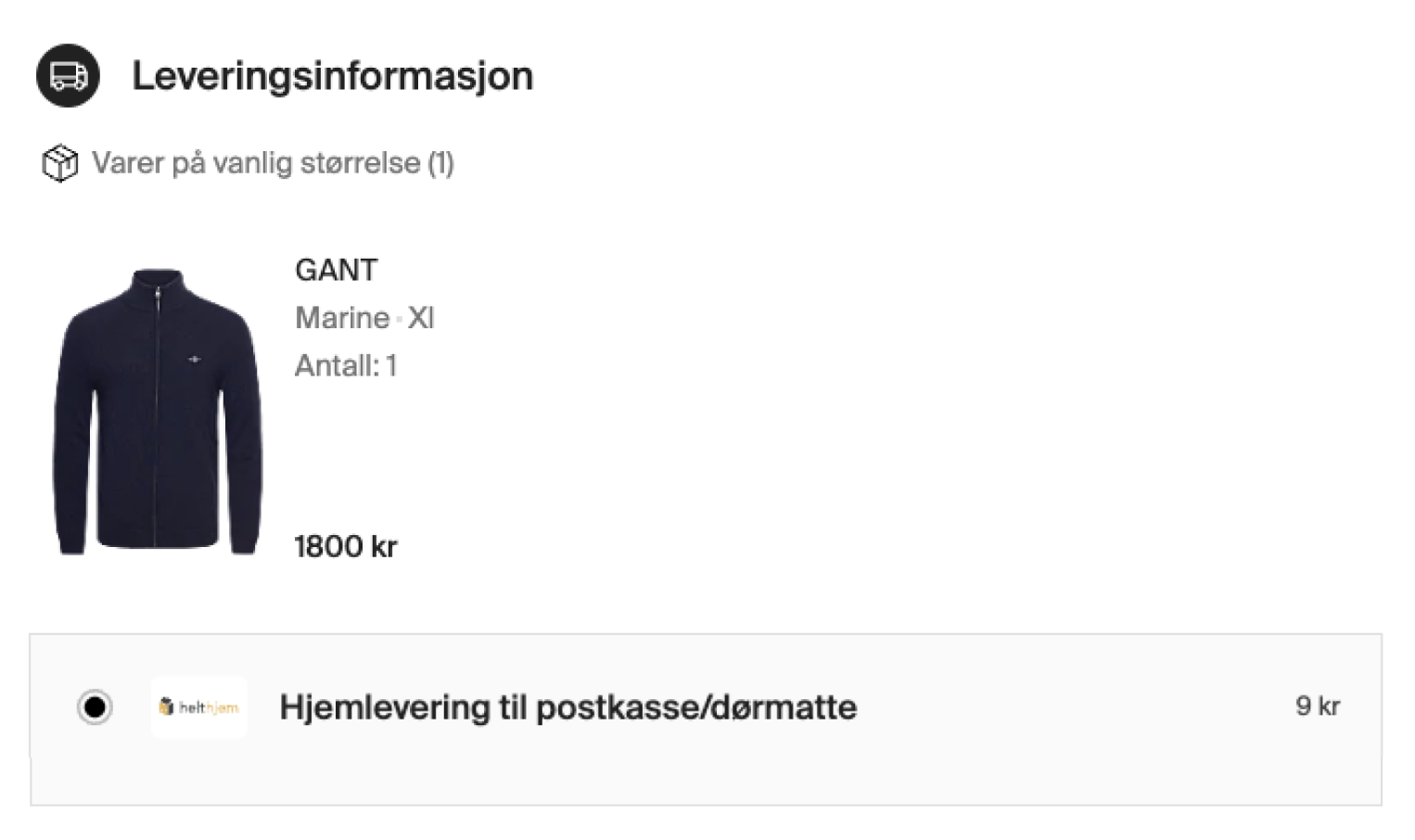
2.2 Find nearby service points
To offer service point delivery at checkout, use the Nearby Service Points endpoint to get the 3 closest locations to the address.
This example uses transportSolutionId: 62, which includes both Helthjem and PostNord service points.
Path: POST /parcels/v1/service-points/nearby
Request
{
    "shopId": 16,
    "transportSolutionId": 62,
    "streetAddress": "Kongsberggata 18",
    "zipCode": "0468",
    "postalName": "Oslo",
    "countryCode": "NO"
  }
Response (trimmed)
{
  "freightProducts": [
    {
      "freightName": "Helthjem Hentepakke",
      "servicePoints": [
        {
          "servicePointExternalId": "30694",
          "servicePointName": "Joker Toftes Gate",
          "openingHours": [
            {"day":"MONDAY","from1":"07:00","to1":"00:00"}
          ],
          "visitingAddress": {
            "streetName": "TOFTES GATE",
            "streetNumber": "12",
            "postalCode": "0556",
            "postalName": "OSLO",
            "countryCode": "NO"
          }
        }
      ]
    }
  ]
}
When you book, add the selected service point as a servicePoint party:
{
 "type": "servicePoint",
 "id": "30694",
 "countryCode": "NO"
}
3. Book the parcel
Once you've confirmed that TS 2 is available for the address, book the parcel with the Booking endpoint.
In a B2C delivery, the shop is the consignor (sender) and the customer is the consignee (receiver).
To deliver to a service point, also add the servicePoint party from step 2.2.
Request headers
POST /parcels/v1/bookings
Authorization: Bearer your_token
Content-Type: application/json
idempotency-key: a1c5e8f2-3b7d-4e96-8c20-5f4d1a7b9e63
Use a new, unique idempotency-key for each shipment, and reuse it if you retry this request. See Idempotency & retries.
Request (TS 2)
{
    "shopId": 16,
    "transportSolutionId": 2,
    "parties": [
        {
            "type": "consignor",
            "name": "Test shop",
            "countryCode": "NO",
            "postalName": "Oslo",
            "zipCode": "0480",
            "address": "Sandakerveien 121",
            "phone1": "12345678"
        },
        {
            "type": "consignee",
            "name": "Ola Nordmann",
            "countryCode": "NO",
            "postalName": "Oslo",
            "zipCode": "0468",
            "address": "Kongsberggata 18",
            "phone1": "12345678",
            "email": "test@example.com"
        }
    ],
    "items": [
        {
            "itemNumber": 1,
            "weight": 1000,
            "width": 12,
            "height": 12,
            "length": 12,
            "contents": "Shoes"
        }
    ]
}
Response (trimmed)
{
  "orderId": 133370472,
  "shipmentId": "(401)70724763243779244",
  "freightProductId": 1,
  "items": [
    {
      "itemNumber": 1,
      "trackingReference": "(00)370724763243779252"
    }
  ]
}
Save the shipmentId and trackingReference. You need them, without the (401) / (00) prefix, to get the label and track the parcel.
4. Get the label
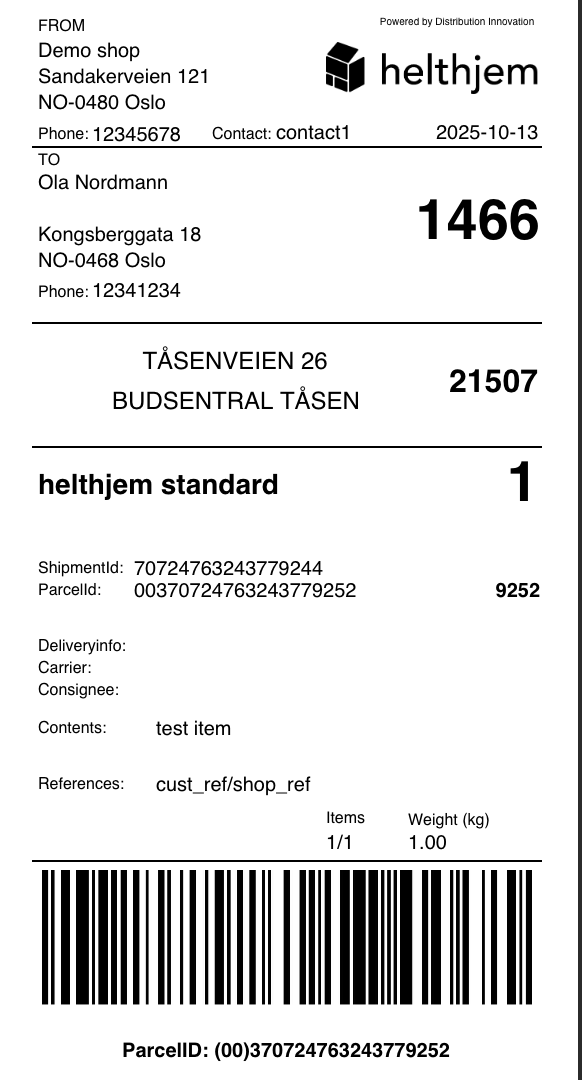
Get a printable label after a successful booking. Use the shipmentId or the trackingReference as the identifier. The standard label is a 102 mm × 192 mm PDF. See Generate a label for other formats.
Request
curl -X GET "https://api.pre.helthjem.no/parcels/v1/labels/70724763243779244/unified-large" \
  -H "Authorization: Bearer your_token" \
  -H "Accept: application/pdf, application/json" \
  -o label.pdf
Response
5. Track the parcel
Get the tracking events for the parcel, from booking to delivery.
curl -X GET "https://api.pre.helthjem.no/parcels/v1/tracking/fetch/70724763243779244/NO/false" \
  -H "Authorization: Bearer your_token" \
  -H "Accept: application/json"
Response
[
    {
        "shipmentNumber": "70724763243779244",
        "shopName": "Test shop",
        "shopId": 16,
        "consigneeReference": "cust_ref",
        "consignorReference": "shop_ref",
        "properties": {},
        "items": [
            {
                "trackingNumber": "370724763243779252",
                "returnCode": null,
                "freightProductId": 1,
                "freightProductName": "helthjem",
                "parcelStatus": "WAITING_FOR_PACKAGE",
                "linkedParcelNumbers": [],
                "events": [
                    {
                        "eventTime": "2025-10-13 13:50:03",
                        "eventTimeUtc": "2025-10-13T11:50:03.390000Z",
                        "lat": null,
                        "lon": null,
                        "locationContext": null,
                        "locationContextId": null,
                        "eventType": {
                            "apiKey": "007",
                            "description": "Address collector sendt til mottaker",
                            "i18nKey": "event.type.distr.requested.consignee.addresscollect"
                        },
                        "additionalInfo": null,
                        "eventGroup": {
                            "id": 3,
                            "name": "event.type.group.communication"
                        },
                        "comChannelType": null,
                        "changeUserId": null,
                        "changeUsername": "system",
                        "regSystem": null,
                        "message": null,
                        "eventData": null
                    },
                    {
                        "eventTime": "2025-10-13 13:46:07",
                        "eventTimeUtc": "2025-10-13T11:46:07.028470Z",
                        "lat": null,
                        "lon": null,
                        "locationContext": "Test shop",
                        "locationContextId": null,
                        "eventType": {
                            "apiKey": "001",
                            "description": "Meldt ankomst av pakke",
                            "i18nKey": "event.type.distr.import.edi.information.received"
                        },
                        "additionalInfo": null,
                        "eventGroup": {
                            "id": 1,
                            "name": "event.type.group.import"
                        },
                        "comChannelType": null,
                        "changeUserId": null,
                        "changeUsername": null,
                        "regSystem": {
                            "id": 1,
                            "name": "Beh. Engangslev."
                        },
                        "message": null,
                        "eventData": null
                    }
                ]
            }
        ]
    }
]
Next steps
- Tracking events: turn tracking events into statuses for your customers.
- Go-live checklist: check your integration before you switch to production.