B2C Integration
This guide takes you through the basic setup and steps to integrate a Business to Customer delivery flow with Helthjem.
Steps:
-
Authorize
-
Check address for coverage
-
Book parcel
-
Print label
-
Track shipment
Choose a transport solution
See our page with descriptions on Delivery Methods to find an appropriate Transport Solution. In this guide we will be using the stand-alone transport solution 2 in collaboration with the Single Address Check to confirm delivery coverage before booking.
Lets begin
1. Authorize
Use the Authorization endpoint with your client_id and client_secret to obtain a JWT. This token expires in 24hrs, if you store it and refresh it every 12 hours, you will not need need to authorize for every request.
Request
{
    "client_id": "your-client-id",
    "client_secret": "your-secret",
    "grant_type": "client_credentials"
  }
json
Response
{
  "token": "xxx",
  "expires_in": 86400,
  "token_type": "Bearer"
}
json
Use the body headers for all subsequent requests:
Authorization: Bearer <token>
Content-Type: application/json
json
2. Check address for coverage
2.1 Single Address Check
Check coverage of an address with the Single Address Check endpoint for a given address to confirm that we have coverage for a Transport Solution.
Tip: Use Standalone Transport solutions in conjunction with Single Address Check for accurate end-user checkout experience:
-
TS: 2 - Home delivery only
-
TS: 86 - Service point only
Checkout example
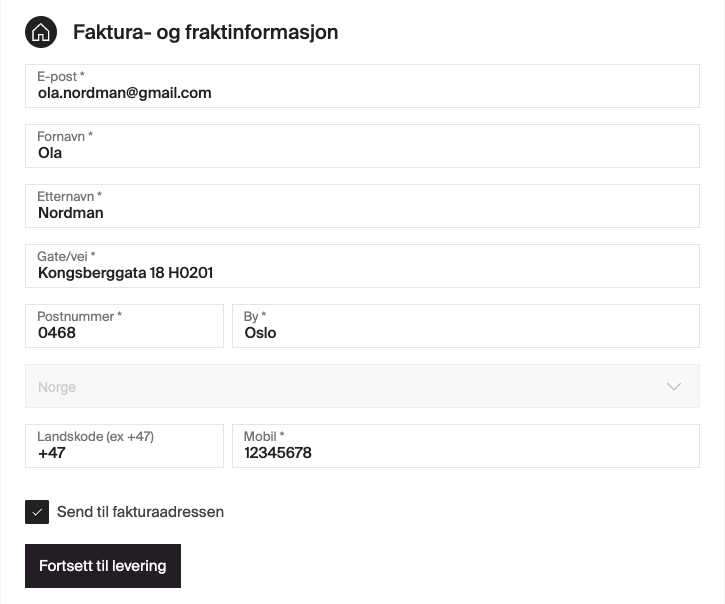
In this example, we want to check that we can deliver to the doorstep of “Ola Nordman”, who lives at Kongsberggata 18, Oslo 0468. Ola has also sent us his apartment number H0201.
Request
{
    "shopId": "1",
    "transportSolutionId": "2",
    "customerName": "Ola Nordmann",
    "address": "Kongsberggata 18 H0201",
    "zipCode": "0468",
    "postalName": "Oslo",
    "countryCode": "NO",
    "weight": 1000,
    "volume": null
  }
json
Success (200)
{
  "productName": "HELTHJEM",
  "routeName": "21516",
  "routing": "1-31/114-43-x21516x385",
  "routeAddress": "TÅSENVEIEN 26",
  "handoverCity": "OSLO",
  "plannedDeparture": "1600"
}
json
We get the response "productName": "HELTHJEM", which confirms that we can deliver using this address.
Now that the coverage has been confirmed, the Transport solution can confidently be exposed as a delivery option.
Example
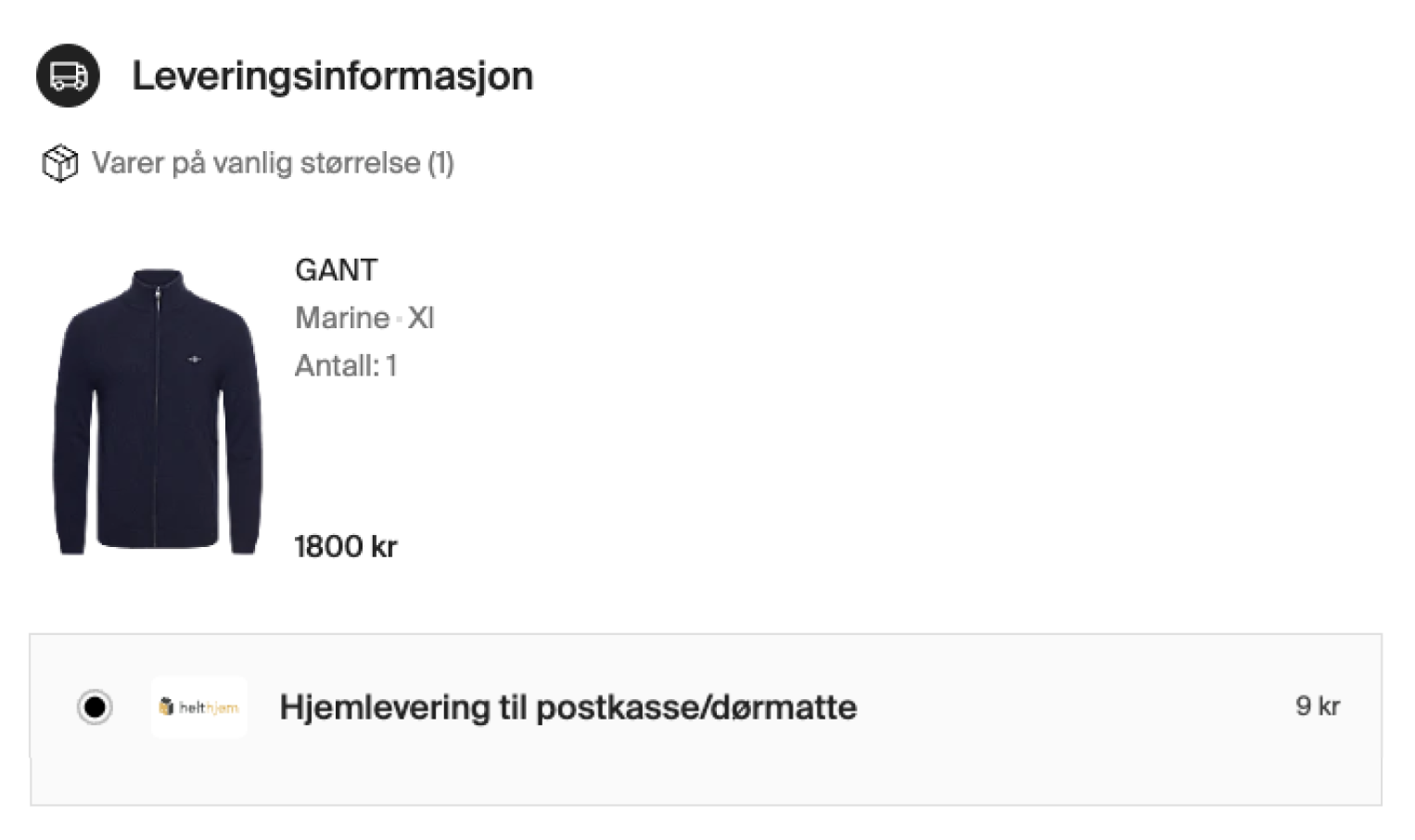
An example of a customer showing available delivery methods.
2.2 Nearby Service points
If you wish to offer Service Point delivery in checkout, use the Nearby Service Points endpoint to retrieve the 3 closest locations to an address.
In this example, we will use transportSolutionId: 62 , which includes both Helthjem and Postnord service points.
Request
{
    "shopId": "1",
    "transportSolutionId": "62",
    "streetAddress": "Kongsberggata 18",
    "zipCode": "0468",
    "postalName": "Oslo",
    "countryCode": "NO"
  }
json
Response (trimmed)
{
  "freightProducts": [
    {
      "freightName": "Helthjem Hentepakke",
      "servicePoints": [
        {
          "servicePointExternalId": "30694",
          "servicePointName": "Joker Toftes Gate",
          "openingHours": [
            {"day":"MONDAY","from1":"07:00","to1":"00:00"}
          ],
          "visitingAddress": {
            "streetName": "TOFTES GATE",
            "streetNumber": "12",
            "postalCode": "0556",
            "postalName": "OSLO",
            "countryCode": "NO"
          }
        }
      ]
    }
  ]
}
json
Use the service point as party when booking:
{
 "type": "servicePoint",
 "id": "30694",
 "countryCode": "NO"
}
json
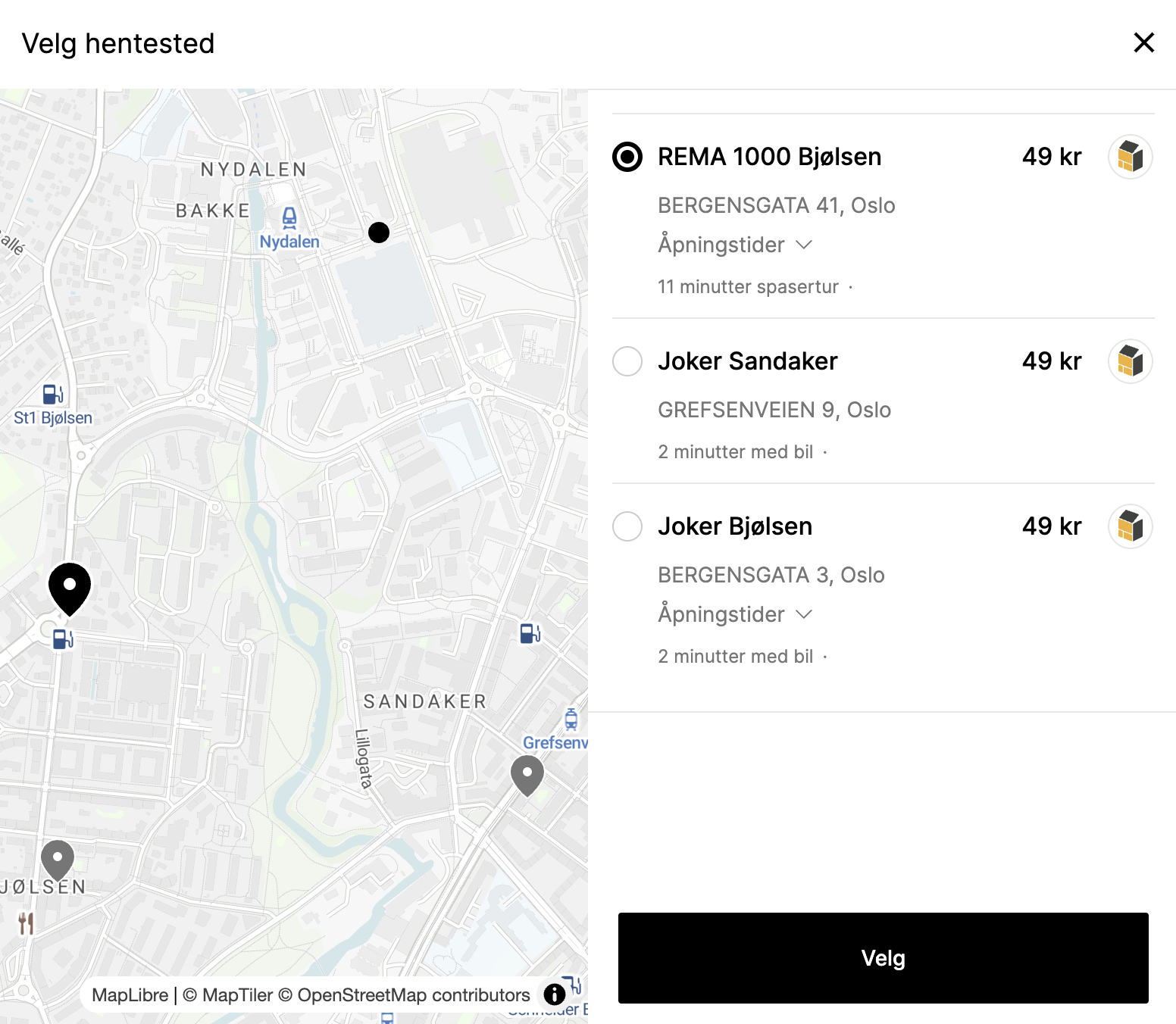
An example of an existing Helthjem customer checkout.
3. Book parcel
Now that we have successfully confirmed that TS:2 is available for an address, book the parcel using the Booking endpoint.
For a B2C delivery, the shop = consignor and customer = consignee.
If delivering to a service point, include the servicePoint party (from the Nearby Service points endpoint.)
Request (TS:2)
{
    "shopId": 1,
    "transportSolutionId": 2,
    "shipmentId": "",
    "parties": [
        {
            "type": "consignor",
            "name": "Demo Shop",
            "countryCode": "NO",
            "zipCode": "0484",
            "address": "Sandakerveien 88",
            "phone1": "12345678"
        },
        {
            "type": "consignee",
            "name": "Ola Nordmann",
            "countryCode": "NO",
            "postalName": "Oslo",
            "zipCode": "0468",
            "address": "Kongsberggata 18",
            "phone1": "12345678",
            "email": "ola@example.com"
        }
    ],
    "items": [
        {
            "itemNumber": 1,
            "weight": 1000,
            "width": 12,
            "height": 12,
            "length": 12,
            "contents": "Shoes"
        }
    ]
}
json
Response
{
  "shipmentId": "70724762400784060",
  "freightProductId": 1,
  "parties":[...]
  "items":[...],
  "properties":{...},
  "orderId": 133370472
}
json
In this response, you receive the shipmentId and trackingReference, as identifiers.
4. Fetch the label
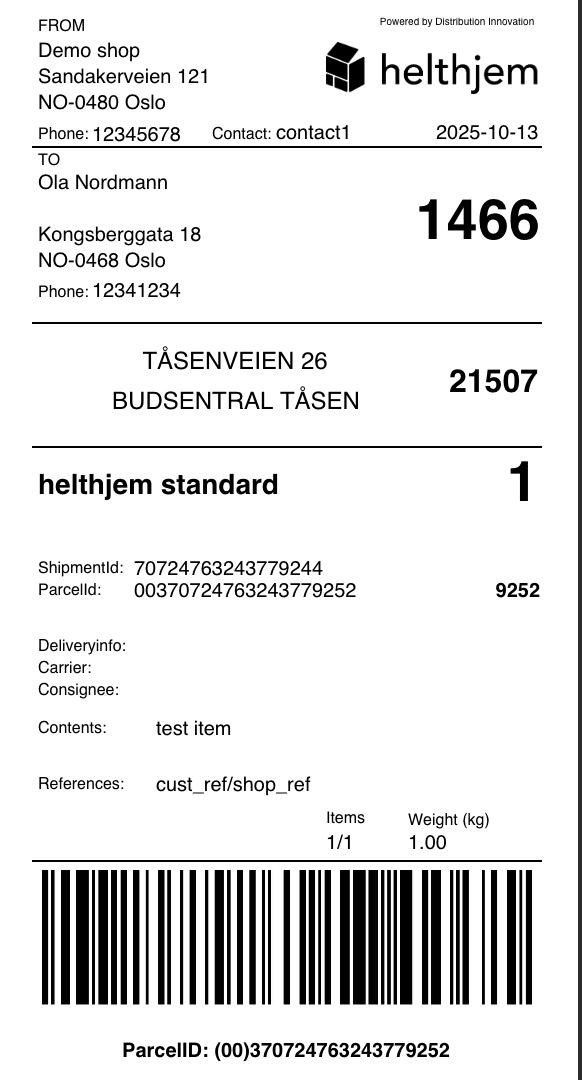
Fetch a printable label after a successful booking. Use either shipmentId or trackingReference as the identifier.
-
A standard label is 102×192 mm PDF.
-
Read our label guide for more details and to configure other options.
Request
curl -X GET "https://api.pre.helthjem.no/parcels/v1/labels/{identifier}/unified-large" \
  -H "Authorization: Bearer <token>" \
  -H "Accept: application/pdf,application/json"
shell
Response
5. Track the parcel
Track parcel progress via events from booking to delivery.
curl -X GET "https://api.pre.helthjem.no/parcels/v1/tracking/fetch/{identifier}/NO/false" \
  -H "Authorization: Bearer <token>" \
  -H "Accept: application/pdf,application/json"
shell
Response
[
    {
        "shipmentNumber": "70724763243779244",
        "shopName": "Testbutikken",
        "shopId": 1,
        "consigneeReference": "cust_ref",
        "consignorReference": "shop_ref",
        "properties": {},
        "items": [
            {
                "trackingNumber": "370724763243779252",
                "returnCode": null,
                "freightProductId": 1,
                "freightProductName": "helthjem",
                "parcelStatus": "WAITING_FOR_PACKAGE",
                "linkedParcelNumbers": [],
                "events": [
                    {
                        "eventTime": "2025-10-13 13:50:03",
                        "eventTimeUtc": "2025-10-13T11:50:03.390000Z",
                        "lat": null,
                        "lon": null,
                        "locationContext": null,
                        "locationContextId": null,
                        "eventType": {
                            "apiKey": "007",
                            "description": "Address collector sendt til mottaker",
                            "i18nKey": "event.type.distr.requested.consignee.addresscollect"
                        },
                        "additionalInfo": null,
                        "eventGroup": {
                            "id": 3,
                            "name": "event.type.group.communication"
                        },
                        "comChannelType": null,
                        "changeUserId": null,
                        "changeUsername": "system",
                        "regSystem": null,
                        "message": null,
                        "eventData": null
                    },
                    {
                        "eventTime": "2025-10-13 13:46:07",
                        "eventTimeUtc": "2025-10-13T11:46:07.028470Z",
                        "lat": null,
                        "lon": null,
                        "locationContext": "Testbutikken",
                        "locationContextId": null,
                        "eventType": {
                            "apiKey": "001",
                            "description": "Meldt ankomst av pakke",
                            "i18nKey": "event.type.distr.import.edi.information.received"
                        },
                        "additionalInfo": null,
                        "eventGroup": {
                            "id": 1,
                            "name": "event.type.group.import"
                        },
                        "comChannelType": null,
                        "changeUserId": null,
                        "changeUsername": null,
                        "regSystem": {
                            "id": 1,
                            "name": "Beh. Engangslev."
                        },
                        "message": null,
                        "eventData": null
                    }
                ]
            }
        ]
    }
]
json
test